
Waver
Log in

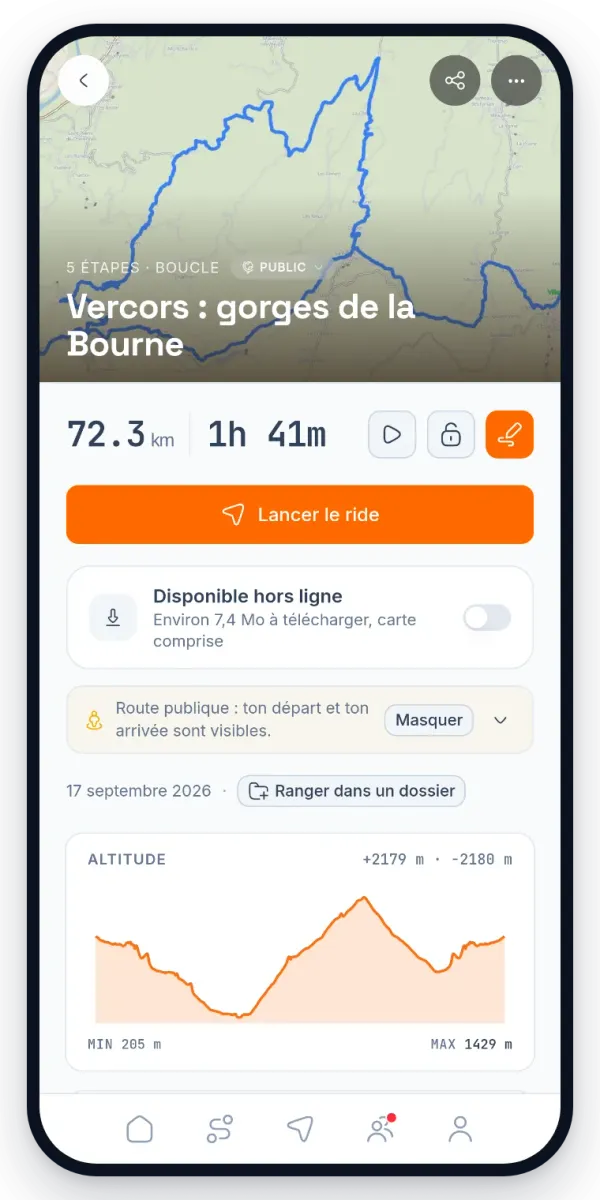
You drop your points, Waver draws the road that takes the corners. You hit GO, it guides you. Your mates follow you live. Built by two riders who couldn't find what they wanted anywhere else. Free, premium included during the beta.

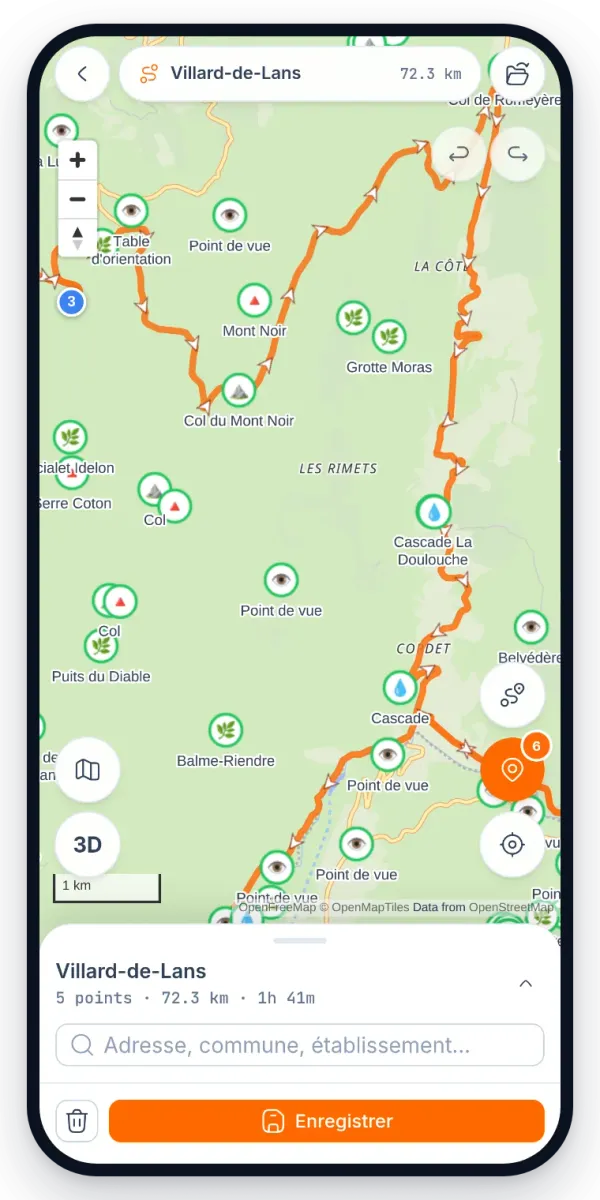
You drop your points.

The planner recalculates at every point: twisty style, loop, tolls avoided, alternatives per segment. Your route stays warm until you leave. You import and export your GPX files for free: no plan to subscribe to just to get a file out.

TwistyLoopNo tollsGPX import
The Waver planner on a large screen: the list of stops on the left, the map in the middle, route settings on the right

Ride

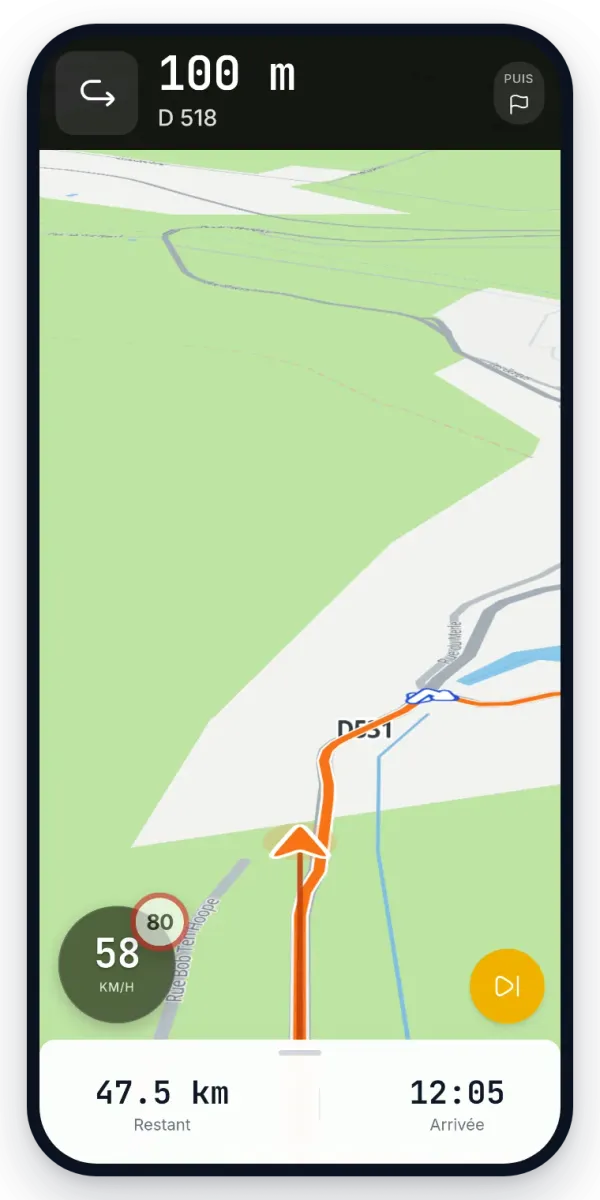
You press GO.

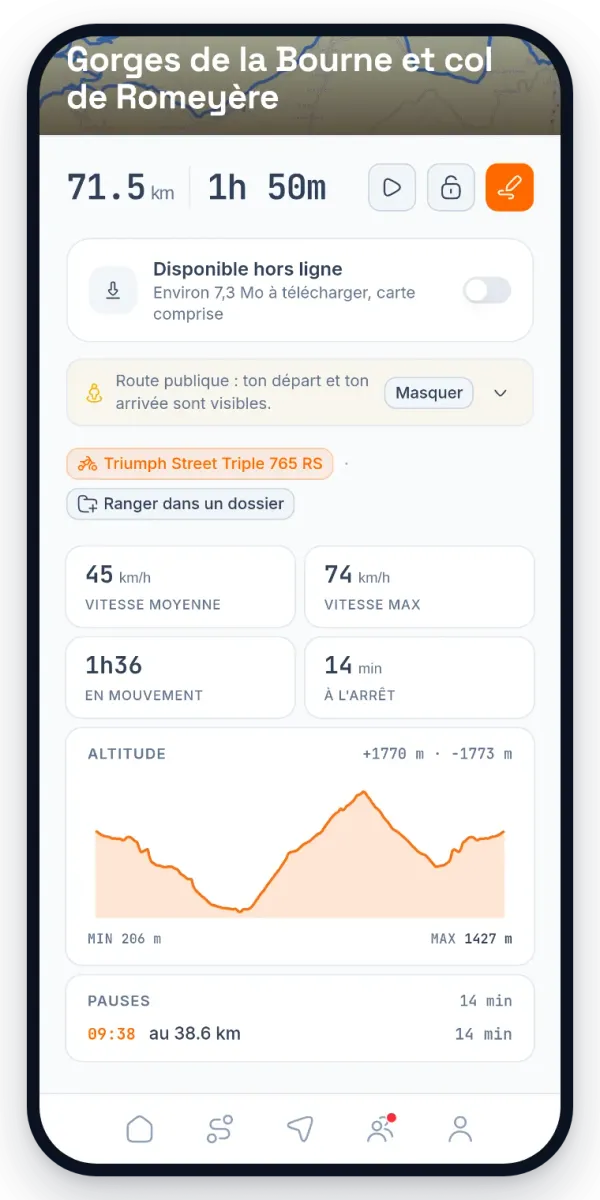
Turn-by-turn guidance, distance left, next corner. The group follows you live: nobody gets lost, nobody waits at the junction.

GuidanceLive trackingOff-grid
Two riders greet each other, engines running, on a mountain pass road at sunset

You bring your mates.

Wave

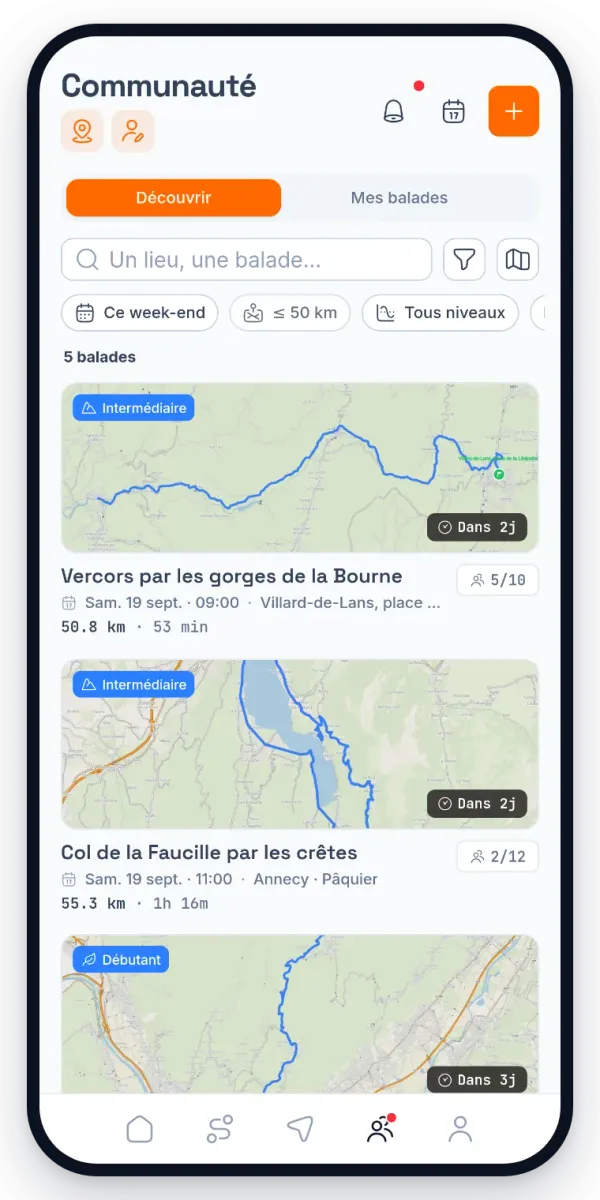
Mountain pass run, Saturday 25 July, 9:30 at the Café de la Poste. Meeting point, departure time, route of the day: everyone has the same information before setting off.

10/12 going · 2 friends
Organise a ride

You choose who rides with you.

Open to all

Public

Listed in Discover: any Waver can ask for a seat. You set the number of seats and approve by hand if you want to.
By invitation

Friends only

Private: it shows up nowhere. You invite friends from your list, they get the notification and the meeting point.
Restricted to one gender

Single gender

Public but restricted to people of the same gender. To ride at your own pace, without having to justify it.
How a single-gender ride worksIt is only offered to people of the same gender. Someone else with the link can ask to join: the organiser decides. The choice is final once the ride is created.

On the day

From the café to the last corner.

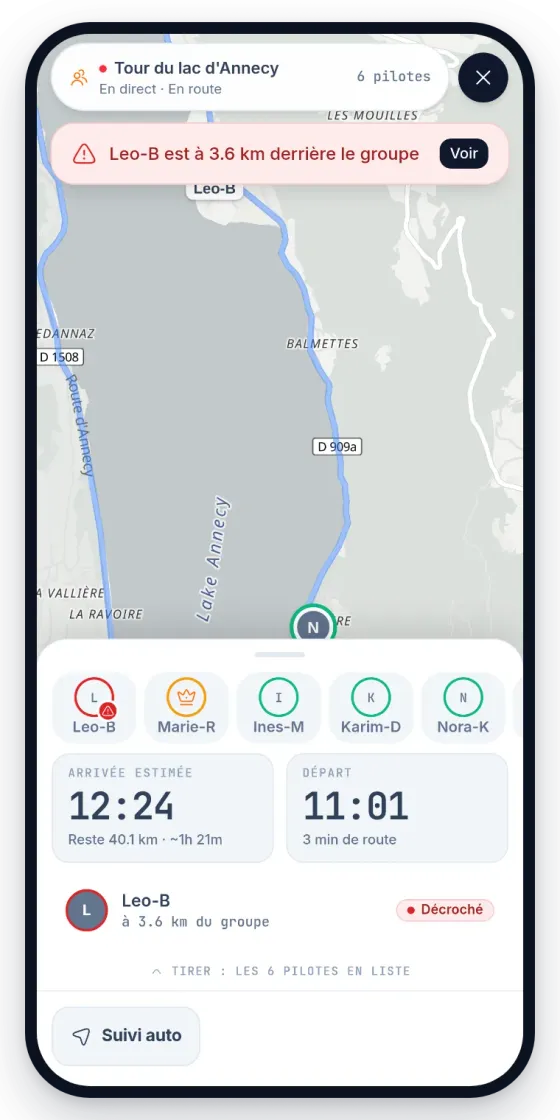
Gathering, group departure, everyone on the map live. If someone drops off the back, the group sees it before noticing at the next stop.

  1. 1GatheringEveryone converges on the meeting point, you see who has already arrived.
  2. 2Group departureThe organiser starts the ride: the route lands on every phone.
  3. 3Live trackingEvery bike on the map, live. A rider left behind is flagged to the group.
  4. 4Group chatCoffee stop, change of plan, running late: the thread follows the ride.
  5. 5ArrivalThe ride lands in your trips, with the real distance and time.
Beginner Intermediate Expert Near me Seats available

The beta in numbers

Routes planned
123
Kilometres ridden
14,921
Riders in beta
26
Group rides organised
19

Two mates, two bikes: Samuel and Morgan throw each other the wave every time they cross paths. Every feature comes from a need felt on the bike, never from behind a desk.

Ready to plan your next ride?

Free, premium included during the beta

Install

How to get the app

Waver is in beta. On Android the Play listing is open to everyone. On iPhone the app goes through TestFlight. A minute either way.

Android

  1. 01

    Download the app

    The Play listing is public: the link opens it in Google Play and the install starts right away.

    Get it onGoogle Play
  2. 02

    If the install is refused

    It happens to a Google account Play does not recognise as a tester. Joining the test programme unlocks the listing, then try again.

    Join the test onGoogle Play

iPhone

  1. 01

    Install TestFlight

    Apple's free app that every test build goes through.

    Download on theApp Store
  2. 02

    Join the Waver beta

    The link opens the invitation in TestFlight: accept it and Waver installs.

    Open inTestFlight

No App Store listing yet: it will land with the public release, once the test programme ends.